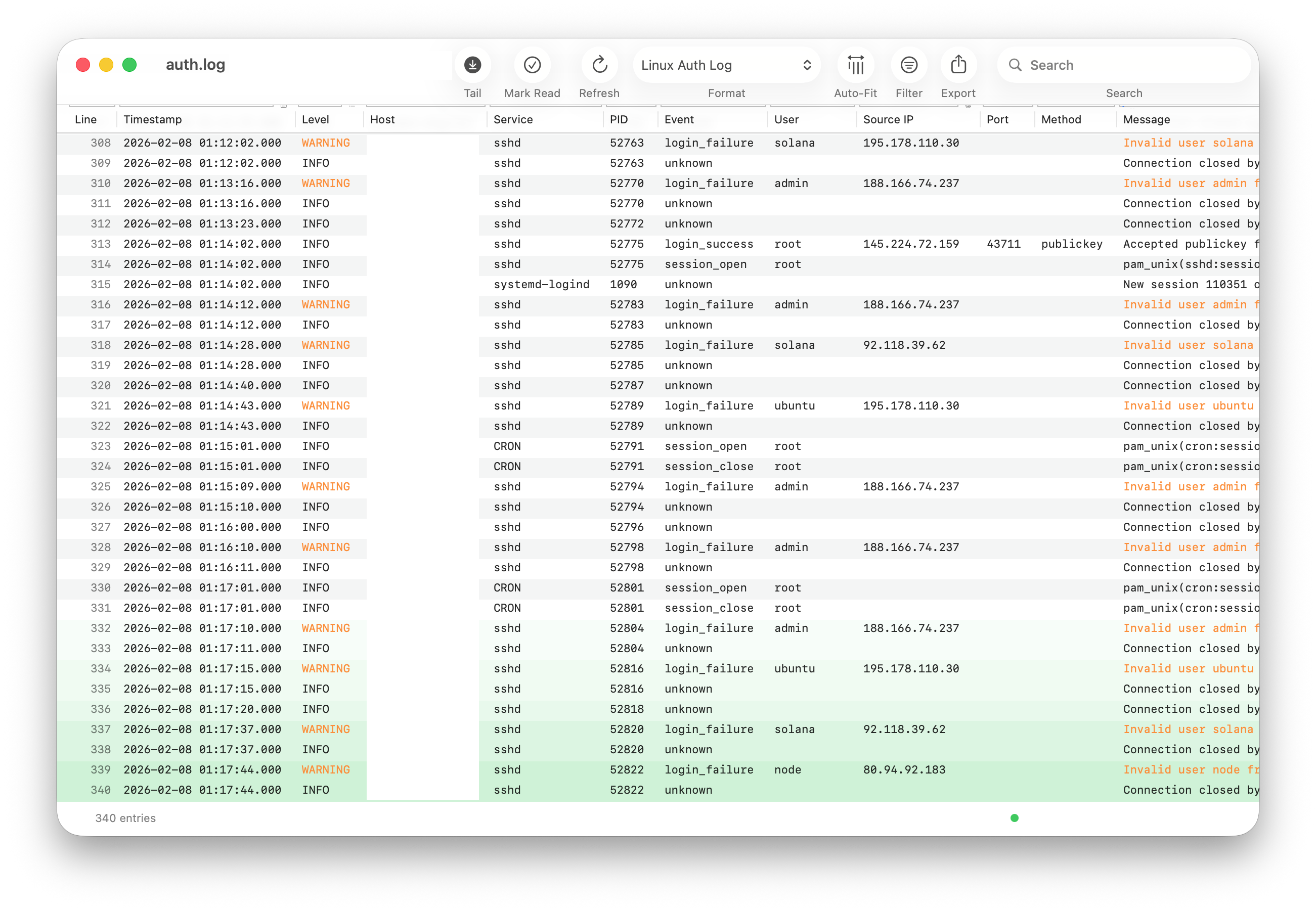

Professional Log File Analysis
Parse, monitor, and analyze log files with powerful filtering, live updates, and remote SFTP access. Native application built with performance in mind.
Parse, monitor, and analyze log files with powerful filtering, live updates, and remote SFTP access. Native application built with performance in mind.
Everything you need to monitor, analyze, and understand your log files

Automatically update log views as new entries are written. Perfect for debugging and real-time system monitoring.

Monitor log files on remote servers via SFTP. No need to download files manually or use command-line tools.

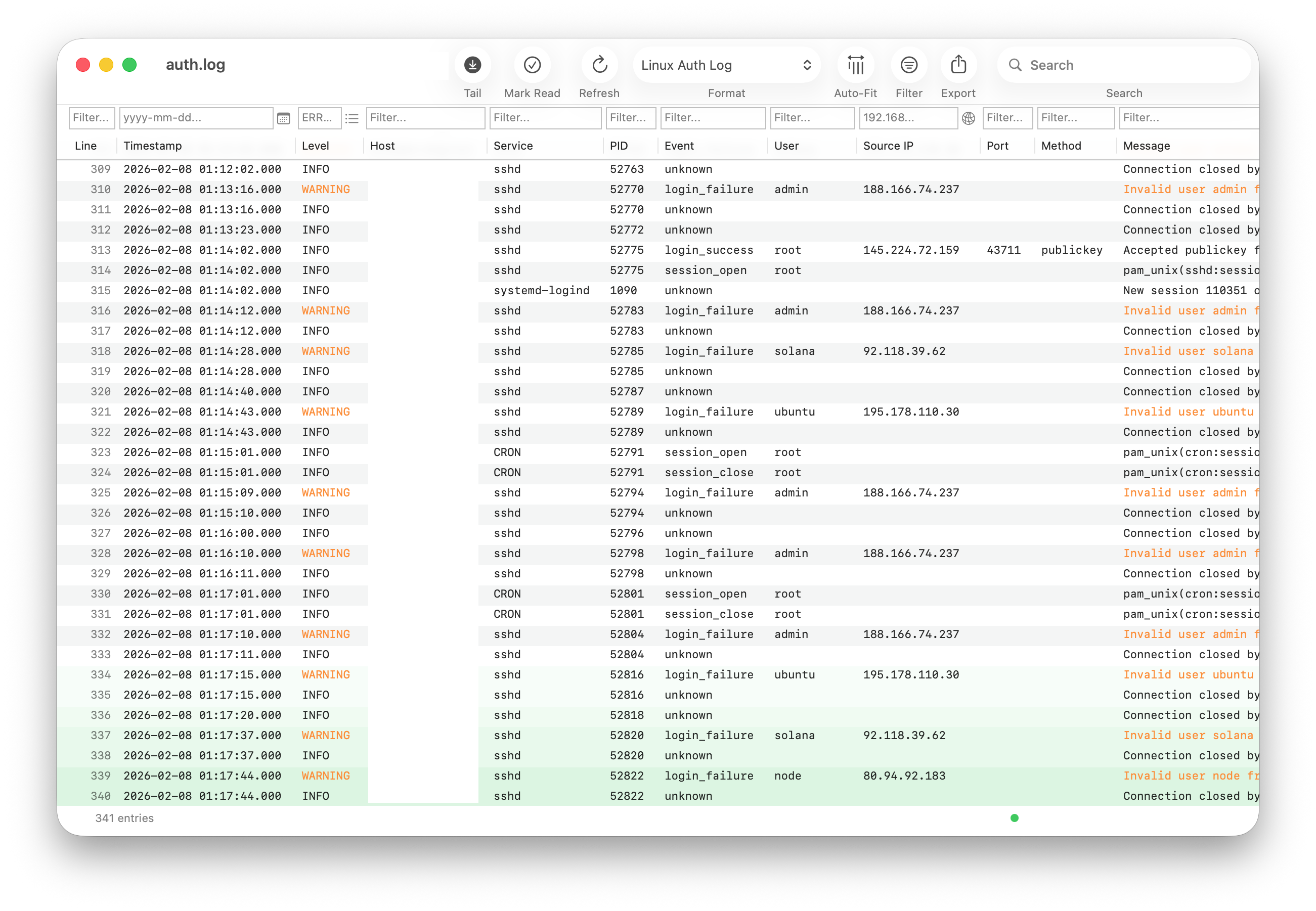
Filter by content, date/time ranges, IP addresses, and log levels. Find what you need instantly.

Built-in support for Apache, nginx, syslog, Postfix, fail2ban, PHP error logs, and more. Automatic format detection.

Define your own log format parsers with regular expressions. Support for any log format your application produces.

Built with Swift for fast, efficient log analysis. Handles large files with ease and minimal resource usage.
Built-in parsers for the most common log formats with automatic detection
Designed for clarity and ease of use
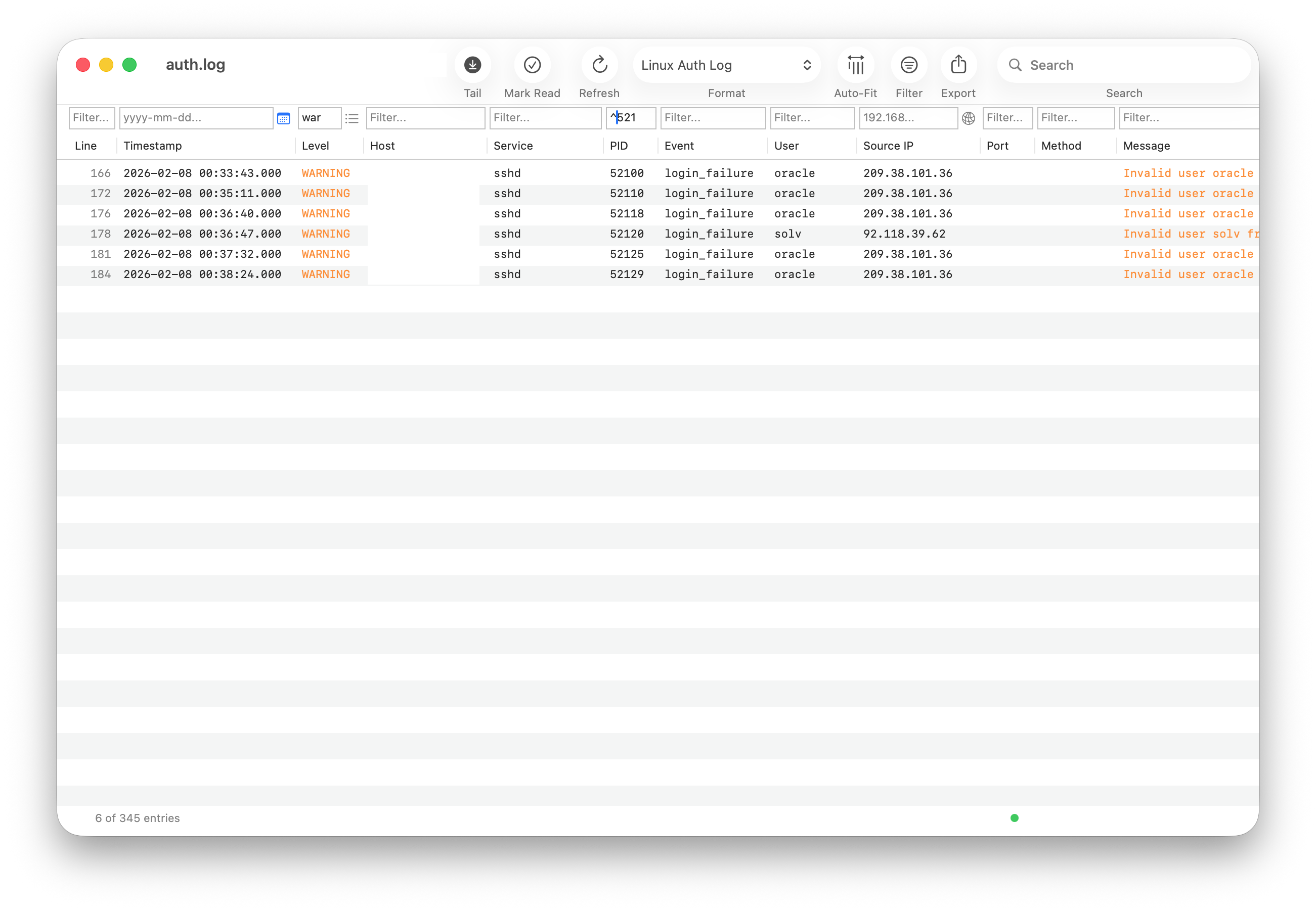
Advanced filtering with column filters
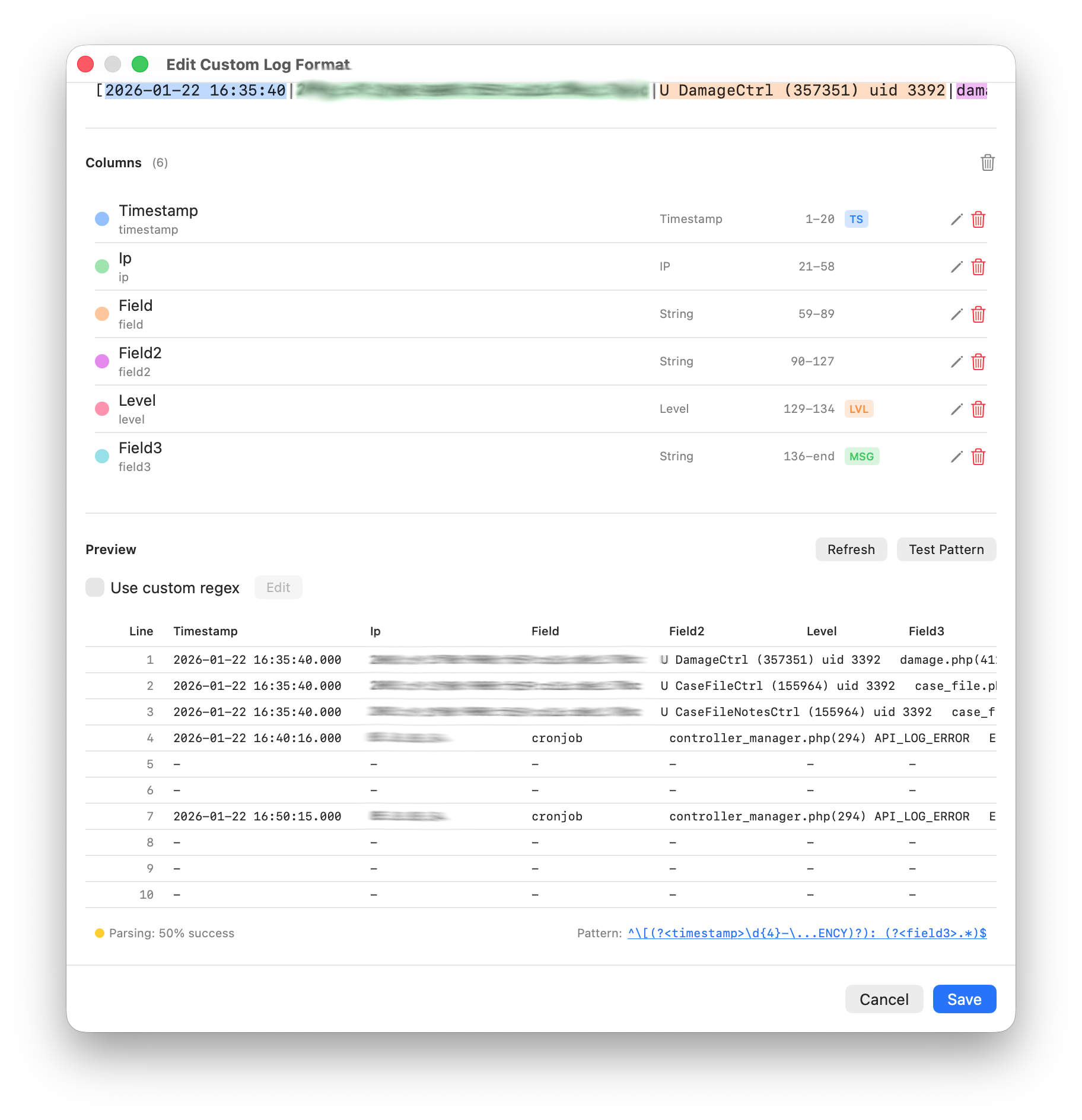
Custom log format editor with live preview
Download Logfile Expert from the App Store and start analyzing your logs today.
Download on App Store